
Software for installation & maintenance companies

Keep installation jobs, planned maintenance and repairs organised, from site preparation and equipment records to approved extra work and billing.

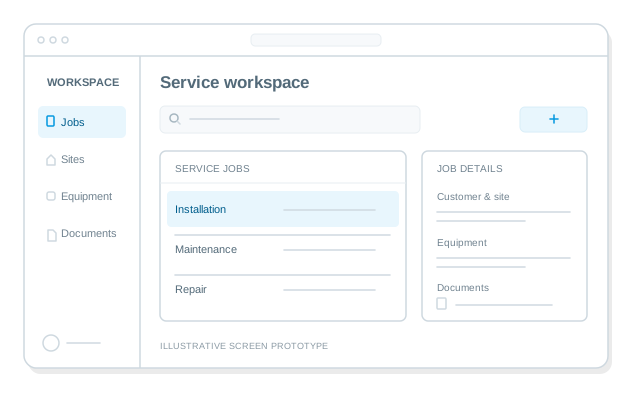
Illustrative screen prototype with a list of service jobs and a job details panel.

Who this is for

Installation, repair and maintenance businesses working at customer sites. Site requirements, service contracts and the details of each job shape how your work gets done.

HVAC installation & service companies

You install, commission and maintain heating, ventilation and air conditioning systems at customer sites.

Where your rules matter
  • Different equipment models, service histories and contract terms need to stay connected to each unit.
  • A visit depends on site access, the right technician and the parts needed for the job.
  • A diagnosis can lead to extra work, a parts order and a return visit that all belong to the original request.

Electrical contractors

You install, inspect and maintain electrical systems in buildings and other facilities.

Where your rules matter
  • Changes to the agreed work affect estimates, materials and the instructions your crew receives.
  • Site readiness, planned shutdowns and other contractors determine when each stage can start.
  • Acceptance may require a particular set of measurements, photographs and documents for each area of the site.

Plumbing & heating contractors

You install and repair plumbing, water supply and heating systems, handling planned work and urgent callouts.

Where your rules matter
  • Emergency repairs and scheduled installations follow different priorities, access arrangements and contract rules.
  • Findings on site can change the required parts and price; approval, purchasing and follow-up visits need a shared history.
  • Installations depend on deliveries and other trades, so an available time slot does not always mean the job is ready.

Security system installers

You design, install and service alarms, CCTV and access control systems.

Where your rules matter
  • Devices, zones, changes and service requests need to match the actual configuration of each site.
  • Visits and system handovers depend on authorised customer contacts and site access arrangements.
  • Technicians, coordinators and customers need different access to service records, sensitive settings and documents.

Telecom & network installers

You install cabling, connect phone and network equipment, and maintain customer communications infrastructure.

Where your rules matter
  • Surveys, route approvals, installation and testing depend on the readiness of each part of the site.
  • Records of racks, ports, cables and devices need to reflect what was installed and changed.
  • Delays involving a carrier, landlord or another crew need their own follow-up and escalation rules.

Equipment service companies

You maintain and repair commercial or industrial equipment at customer premises.

Where your rules matter
  • Service requirements vary by model, operating hours and working conditions for each piece of equipment.
  • Diagnosis, warranty decisions, parts supply and site access can involve several people handling the same request.
  • Each customer may require different checks and reports before accepting the work.

Feature sets for installation & maintenance companies.

Explore the published feature groups for this business and learn how they can support your processes.

Feature groups are currently unavailable for this page.

Built around how you work

Your rules for a ready visit

Define what must be confirmed before a job can be assigned or a visit booked. Requirements can vary by site, contract, equipment and type of work, with a clear owner for anything missing.

Your rules for changes and approvals

Decide who can approve extra work, which limits apply and what happens next. Keep the decision connected to the work instructions, parts, follow-up visit and charges it affects.

Your rules for completion and access

Agree the checks, documents and customer confirmation required to close each kind of job. Decide which records each role can view or change, including sensitive site information.

Your rules for payments

Decide when payment is due, from a deposit before a visit to staged payments or settlement after acceptance. We can add payment collection, reminders and tracking using the agreed payment methods, with payment status connected to each job and your accounting records.

Your existing CRM, materials records and accounting tools can be part of the plan. We assess the available connections and agree what needs to move between systems before committing to an integration.

From workflow to working software

  1. Start with a job your team knows

    Tell us how a request moves through your business today, where people have to chase information and what happens when the plan changes. We help turn that into a clear brief. You do not need a technical specification.

  2. Agree a useful first version

    Together, we define a complete workflow, the people involved, the rules and exceptions, and the result it needs to deliver. We agree how to measure improvement: jobs completed on the first visit, time from diagnosis to approval, or time from acceptance to invoice preparation.

  3. Review a prototype

    Walk through a prototype using examples from your daily work. Check the normal job, extra work, missing parts and customer decisions, so the system reflects the situations your team actually handles.

  4. Launch and keep it running

    We build, test and launch the agreed system, then provide the agreed ongoing maintenance and support. Data setup, connections to existing tools and the move into daily use are part of the launch plan.

  5. Change it as your business changes

    New service contracts, approval rules or ways of working can become agreed updates to the system. We clarify the change, assess its effect and agree the scope and price before adding new functionality.

Your brand. A direct connection.

Bring your business closer to your customers

Make it easy for customers to order your services and request a specialist. almops can build your own branded customer app or web portal, connected to the work your team does behind the scenes.

Your own customer app

Give customers an app with your name and branding. Let them order installation, maintenance or repairs, request a specialist and return to your business when they need their next visit.

A customer portal under your brand

Offer a place on the web to request a visit, share job details and follow progress. Keep each customer request connected to the team preparing and carrying out the work.

Questions

Can we keep our current CRM and accounting tools?

We can plan the new workflow around tools you already use. We check integration options, data access and practical limits before agreeing a connection. The proposal sets out what will be connected and how.

When does a system built around our business make sense?

It can make sense when your contracts, site requirements, approvals or handovers lead to repeated work outside your existing tools. Requirements for data control and hosting can also matter. If a ready-made product covers the job well, we will consider that option with you before proposing a new system.

Do we need a technical specification or a complete replacement system?

You can start by describing one process and showing us how it works today. We ask questions and help define the requirements. A first version can cover one complete workflow, with further additions agreed separately.

Who looks after the system after launch?

AlmOps handles the agreed maintenance and support, and helps develop the system as your requirements change. Your proposal defines the service included and how later changes are handled.

Where is the system hosted and can we use our own server?

Hosting with AlmOps is the default. Deployment on your own infrastructure can be scoped as an additional paid option. We discuss data access, exports and operational requirements while defining the system.

How is pricing handled?

The aim is a predictable monthly payment for an agreed system and service. Your proposal sets out the amount, payment period, hosting, support and any initial charges. Later additions are scoped and priced separately.

Could we run and maintain our version independently later?

You can obtain non-exclusive rights to keep using and changing the paid-for version for your own business after the agreed main payment period or a one-off payment. The handover covers source code, a data export, operating instructions and the rights needed to run the software independently. Licence, handover, hosting and support terms are agreed in your contract.

Start with one process

Start with the job that takes too much chasing

Tell us what your company installs or maintains, which tools you use today and where one job gets stuck. We will help define a first workflow worth improving.

No technical specification needed. Start with your process.